> ## Documentation Index
> Fetch the complete documentation index at: https://docs.crisp.trade/llms.txt
> Use this file to discover all available pages before exploring further.
# Copytrading Tab
> Automate execution based on wallet activity
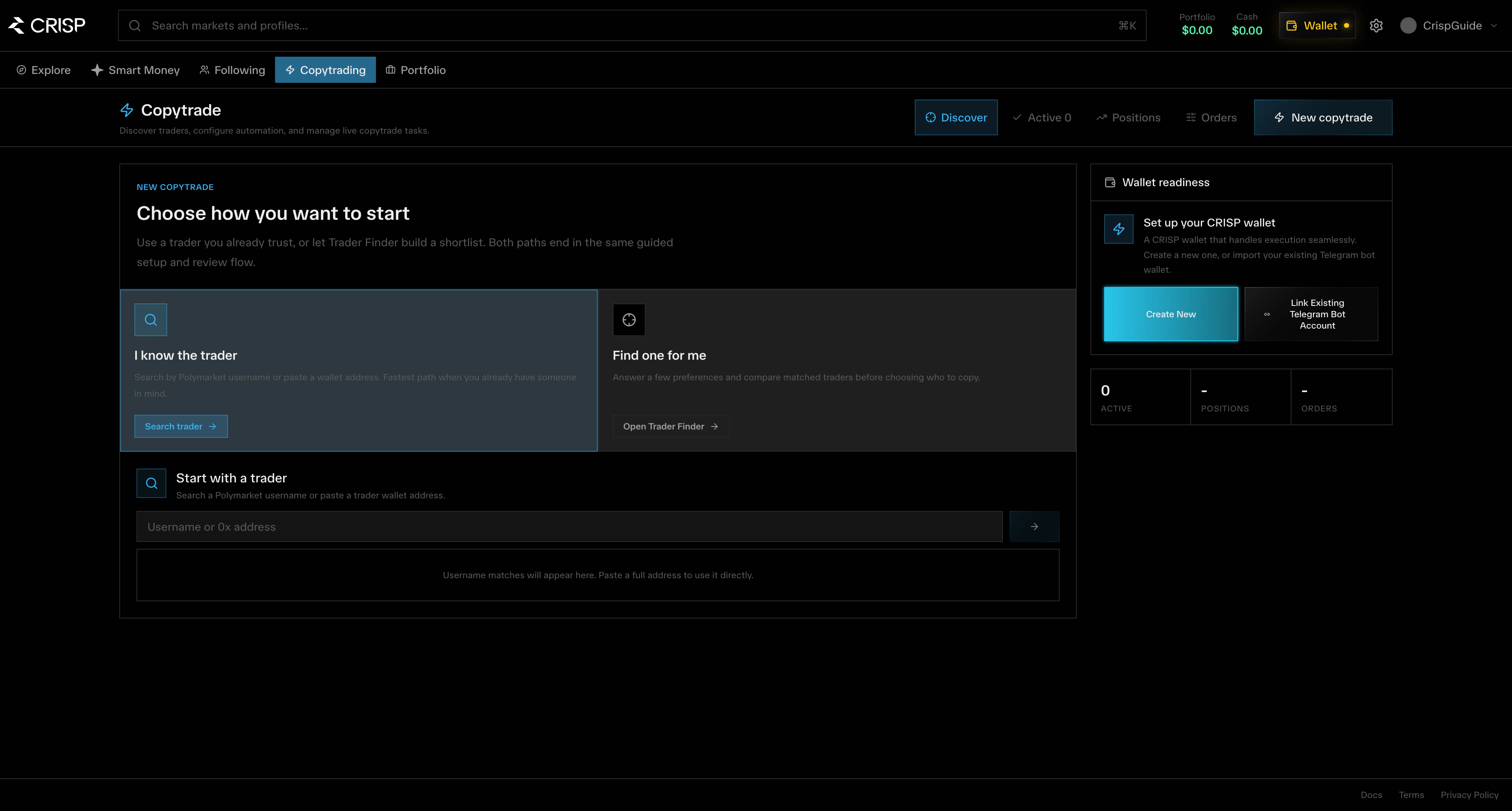
The **Copytrading** tab lets you automatically execute trades when wallets you follow make moves.
Unlike the Following tab which only shows activity, Copytrading takes action — the moment a tracked wallet trades, your copy executes.
 ## How It Works
Choose a trader from the Smart Money tab or search by address
Set your position sizing, filters, and risk parameters
Turn on automatic execution for that wallet
Track copies in real-time from the Copytrading tab
## Copy Settings
| Setting | Description |
| ------------------ | ----------------------------------------------------- |
| Sizing mode | Fixed amount, percentage-based, or portfolio-weighted |
| Category filters | Only copy trades in specific market categories |
| Price range | Set min/max price thresholds for outcomes |
| Minimum trade size | Filter out small trades below your threshold |
| Slippage tolerance | Maximum acceptable slippage on execution |
## 0-Block Execution
CRISP uses **0-Block Copy Trading** — zero latency, zero delay. The moment a smart wallet moves, your copy executes. No waiting for block confirmations, no slippage from slow fills.
## Managing Active Copies
From the Copytrading tab you can:
* View all active copy configurations
* See pending and executed copies
* Pause or stop copying specific wallets
* Adjust settings per wallet
* Review copy performance and P\&L
## Risk Controls
Copytrading involves risk. Always set appropriate position sizes and use filters to match your risk appetite. Past performance of copied wallets does not guarantee future results.
## How It Works
Choose a trader from the Smart Money tab or search by address
Set your position sizing, filters, and risk parameters
Turn on automatic execution for that wallet
Track copies in real-time from the Copytrading tab
## Copy Settings
| Setting | Description |
| ------------------ | ----------------------------------------------------- |
| Sizing mode | Fixed amount, percentage-based, or portfolio-weighted |
| Category filters | Only copy trades in specific market categories |
| Price range | Set min/max price thresholds for outcomes |
| Minimum trade size | Filter out small trades below your threshold |
| Slippage tolerance | Maximum acceptable slippage on execution |
## 0-Block Execution
CRISP uses **0-Block Copy Trading** — zero latency, zero delay. The moment a smart wallet moves, your copy executes. No waiting for block confirmations, no slippage from slow fills.
## Managing Active Copies
From the Copytrading tab you can:
* View all active copy configurations
* See pending and executed copies
* Pause or stop copying specific wallets
* Adjust settings per wallet
* Review copy performance and P\&L
## Risk Controls
Copytrading involves risk. Always set appropriate position sizes and use filters to match your risk appetite. Past performance of copied wallets does not guarantee future results.