> ## Documentation Index
> Fetch the complete documentation index at: https://docs.crisp.trade/llms.txt
> Use this file to discover all available pages before exploring further.
# Portfolio Tab
> Track your positions and performance
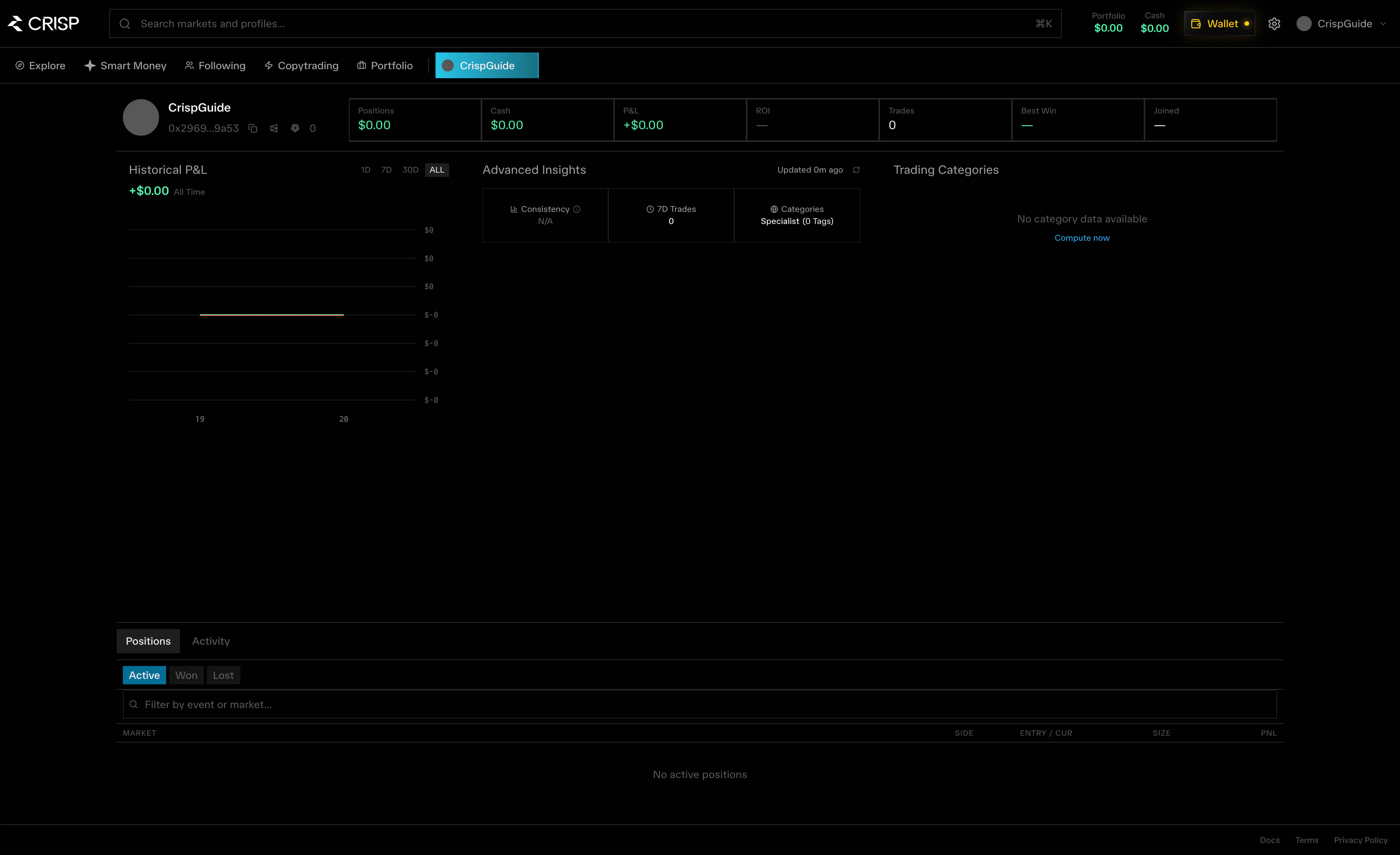
The **Portfolio** tab gives you a complete view of your trading activity and current positions on CRISP.
 ## Overview
Your portfolio shows:
* Total portfolio value
* Unrealized P\&L across all positions
* Realized P\&L from closed trades
* Position breakdown by market
* Historical performance
## Active Positions
View all your open positions with:
| Field | Description |
| ------------- | ------------------------- |
| Market | The prediction market |
| Side | Your position (YES or NO) |
| Size | Position size in USD |
| Entry price | Average entry price |
| Current price | Live market price |
| P\&L | Unrealized profit or loss |
| P\&L % | Percentage return |
## Trade History
Review your complete trading history:
* All executed trades
* Entry and exit prices
* Realized P\&L per trade
* Trade timestamps
* Market and outcome details
## Performance Metrics
Track your trading performance over time:
* Win rate
* Average trade size
* Best and worst trades
* Performance by category
* ROI over different time periods
Performance metrics update in real-time as markets move and positions resolve.
## Overview
Your portfolio shows:
* Total portfolio value
* Unrealized P\&L across all positions
* Realized P\&L from closed trades
* Position breakdown by market
* Historical performance
## Active Positions
View all your open positions with:
| Field | Description |
| ------------- | ------------------------- |
| Market | The prediction market |
| Side | Your position (YES or NO) |
| Size | Position size in USD |
| Entry price | Average entry price |
| Current price | Live market price |
| P\&L | Unrealized profit or loss |
| P\&L % | Percentage return |
## Trade History
Review your complete trading history:
* All executed trades
* Entry and exit prices
* Realized P\&L per trade
* Trade timestamps
* Market and outcome details
## Performance Metrics
Track your trading performance over time:
* Win rate
* Average trade size
* Best and worst trades
* Performance by category
* ROI over different time periods
Performance metrics update in real-time as markets move and positions resolve.