

Start the Bot
Message @crisp_trade_bot on Telegram
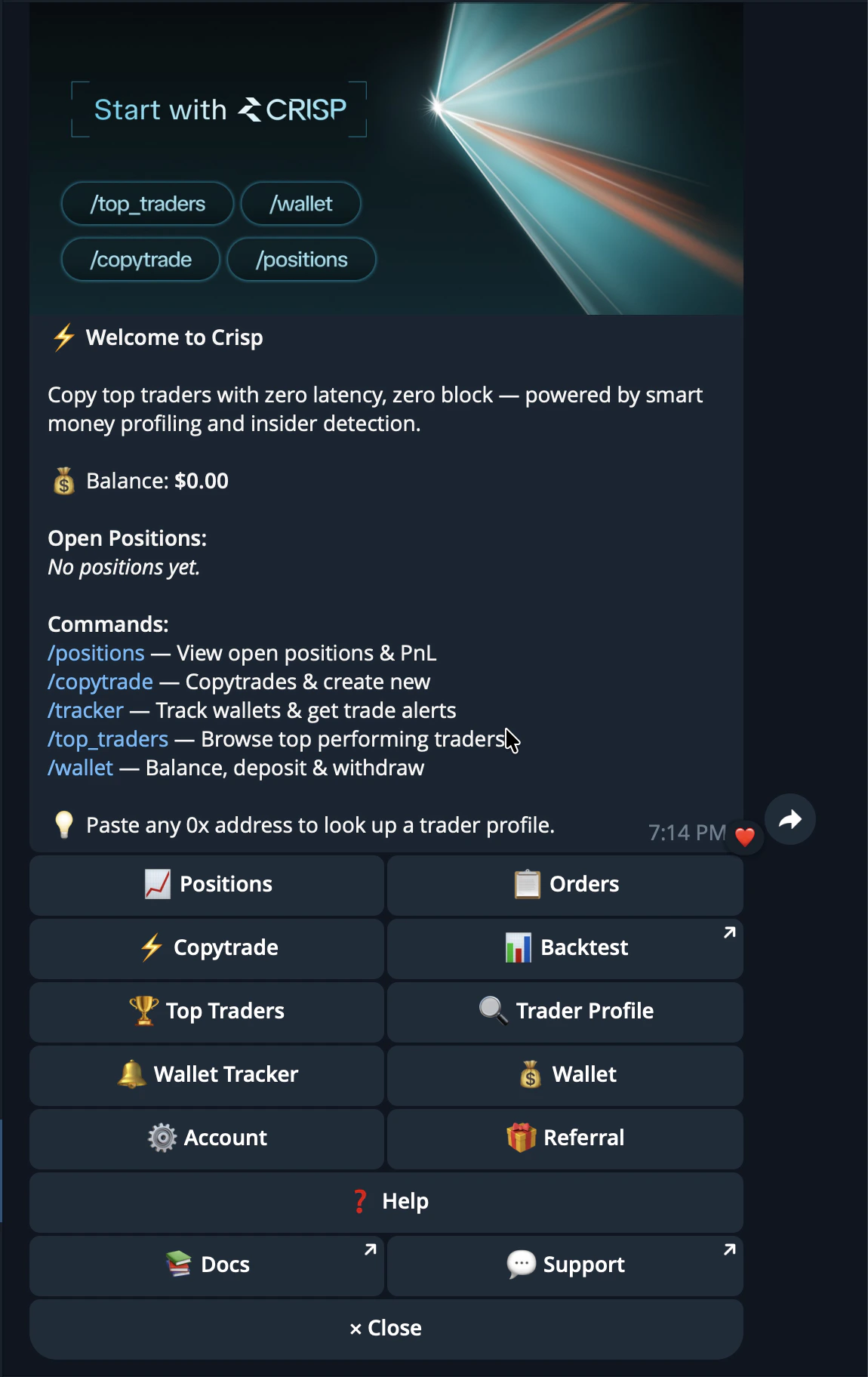
Setting Up
Setting up CRISP takes only a few seconds. CRISP creates your trading wallets automatically through the CRISP Telegram bot, so you can move from onboarding to funding and trading without setting up wallets manually. The wallet system is built with Privy and Gnosis Safe, giving users a non-custodial setup where they remain in control of their keys and funds.How setup works
Start by opening the CRISP Telegram bot and sending/start.
Once you begin, CRISP automatically creates the wallets needed for your account. These wallets are used to deposit funds, place trades, copytrade, and manage your activity across CRISP.
You do not need to create a separate wallet manually before using CRISP. The setup process is handled inside Telegram so you can get started quickly.
Wallet creation
CRISP uses Privy and Gnosis Safe wallets to create and manage your account infrastructure.
Together, this gives users a simple setup experience while keeping the wallet architecture secure and non-custodial.
Non-custodial by design
CRISP does not custody your funds. Your keys and funds remain yours at all times. CRISP helps create and connect the wallet infrastructure, but it does not control your private keys or take ownership of your assets. This means you stay in control while still getting a smooth trading experience inside CRISP.After setup
Once your wallet is created, you can move on to funding your CRISP wallet. After funds are deposited, you can begin exploring markets, discovering traders, running backtests, following wallets, and using copytrading features.Deposit Funds
Deposit Funds is how you add money to your CRISP wallet so you can start trading. CRISP deposits are bridged into USDC.e on Polygon through the Polymarket bridge. This lets users fund their CRISP wallet from multiple supported chains while keeping the trading balance ready for Polymarket execution.How deposits work
To start trading, you need funds in your CRISP wallet. When you deposit, CRISP guides you through selecting a supported network and asset. The funds are then bridged into Polygon PUSD, which is the balance used for trading inside CRISP.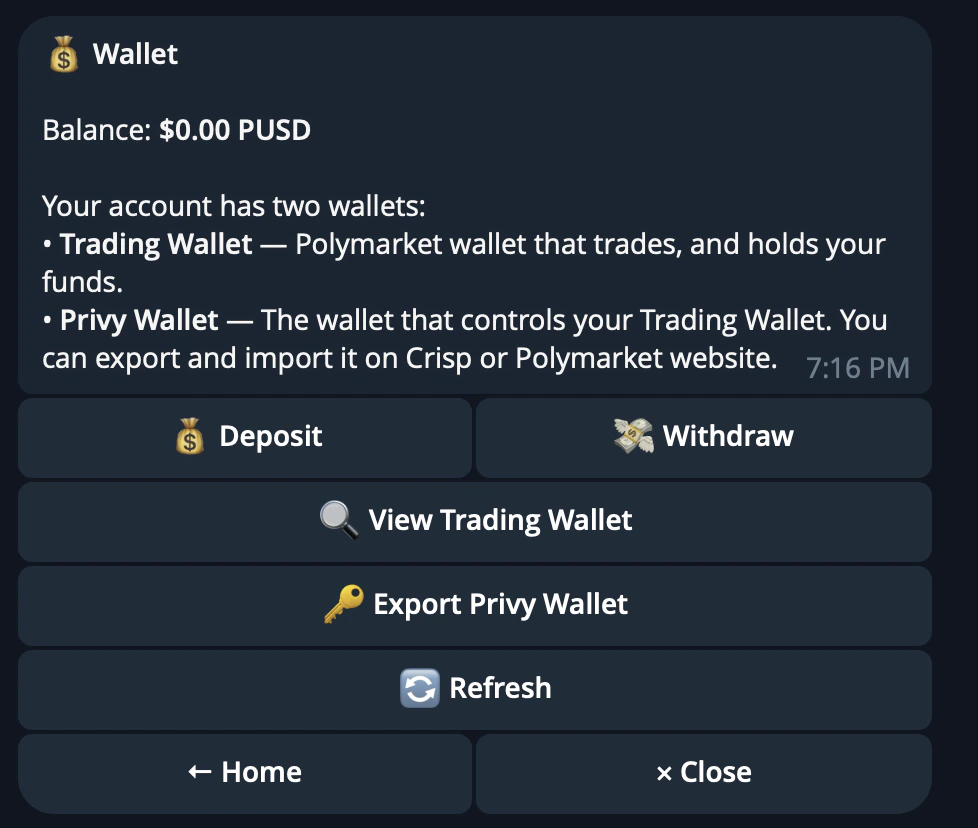
Supported networks
CRISP supports deposits from several major networks, including Polygon, Ethereum, Arbitrum, Base, Optimism, Solana, BSC, and Bitcoin. Supported assets vary by network. Common supported assets include USDC, USDT, ETH, DAI, WBTC, SOL, BNB, and BTC.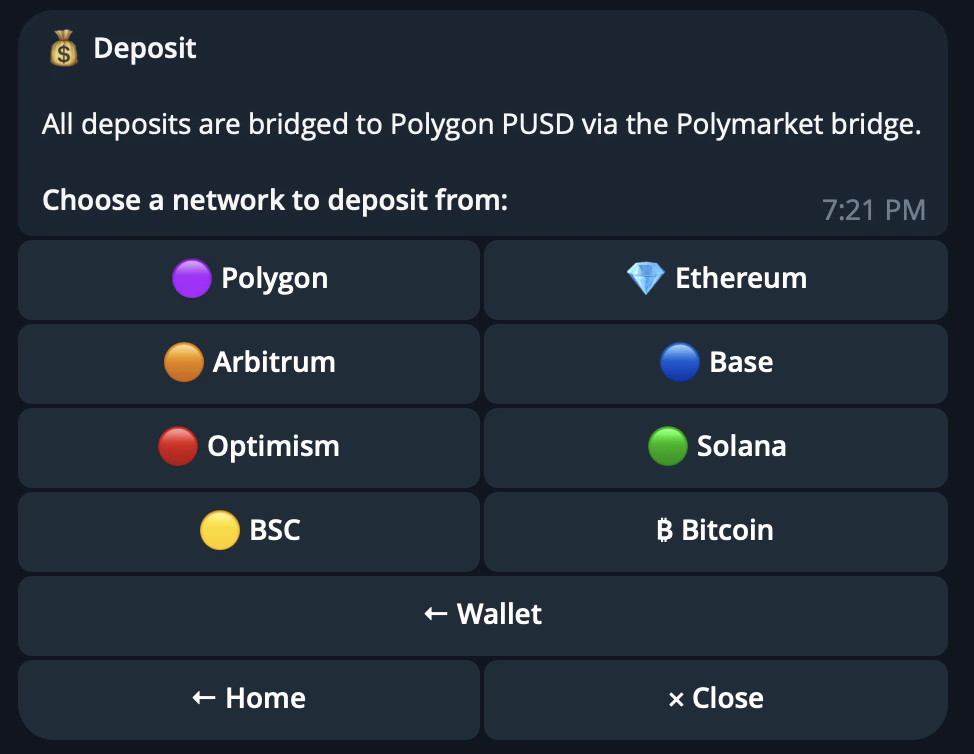
Important safety notes
If you sent funds to the wrong address or need help with a deposit, contact the CRISP support group.Withdrawal
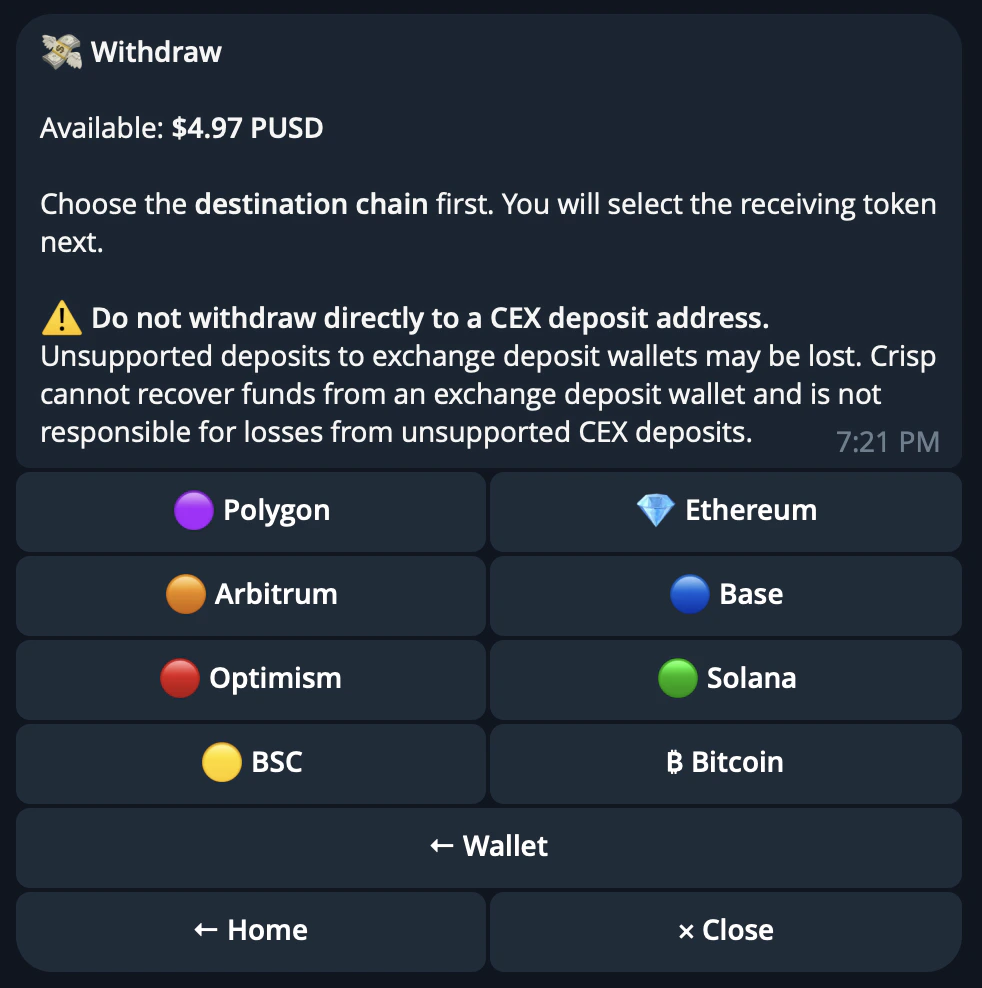
Withdrawal lets you move funds out of your CRISP wallet to a supported chain. You can withdraw USDC and multiple tokens from your CRISP wallet at any time. The withdrawal flow is handled through the CRISP bot and lets you choose the destination chain, address, and withdrawal amount.How withdrawals work
Open/wallets in the CRISP Telegram bot.
From there, choose the wallet or balance you want to withdraw from, select the destination chain, and enter the address where you want the funds sent.
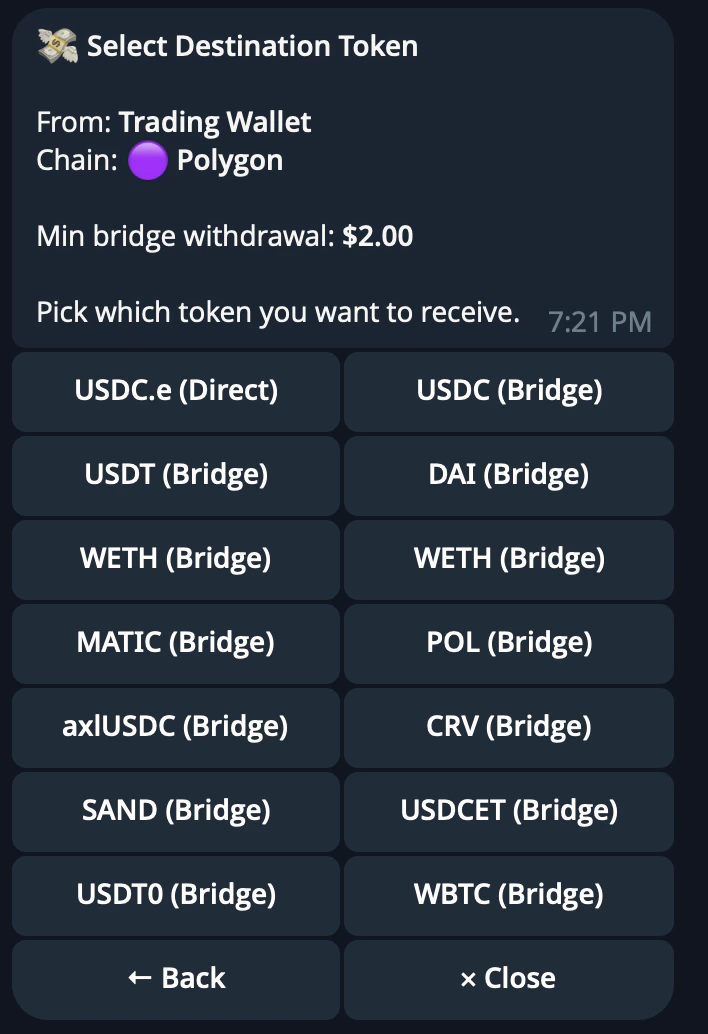
Destination address
Enter the wallet address you want to withdraw to. Make sure the address matches the chain you selected. For example, do not enter a Solana address when withdrawing to Ethereum. Sending funds to the wrong address or incompatible chain can result in permanent loss of funds.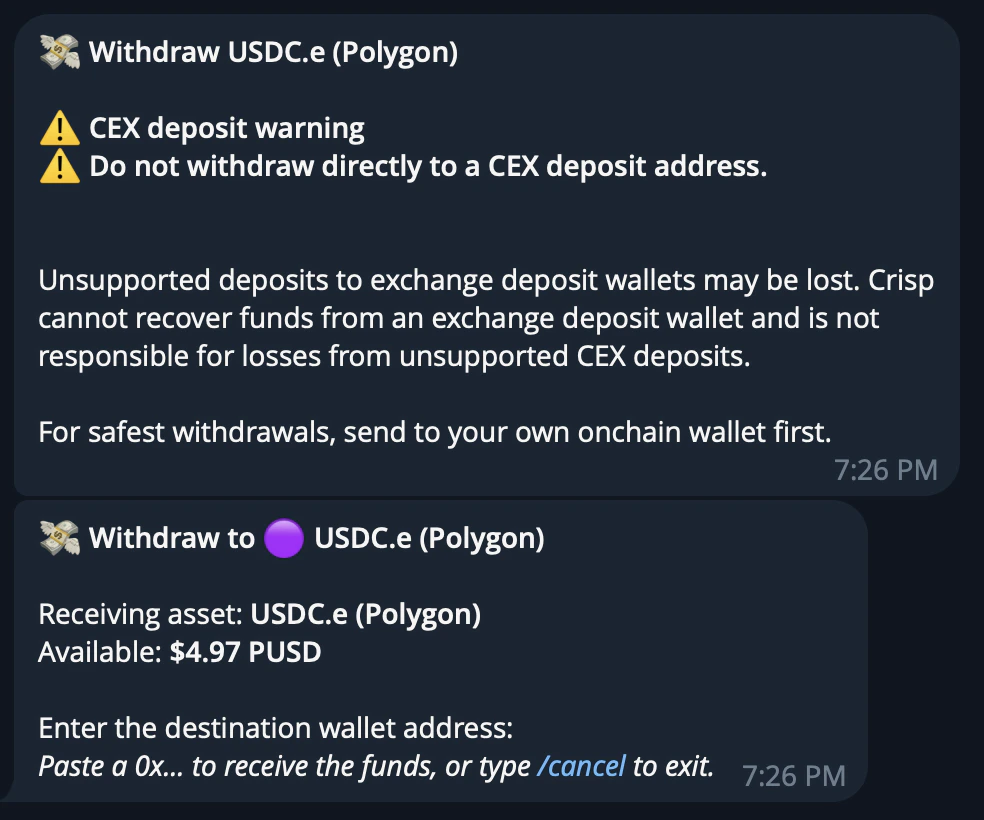
Withdrawal amount
Choose how much you want to withdraw. You can select one of the preset percentage amounts based on your CRISP wallet balance, or enter a custom amount manually. Each chain has a minimum withdrawal amount. The bot will show the minimum when you select the chain.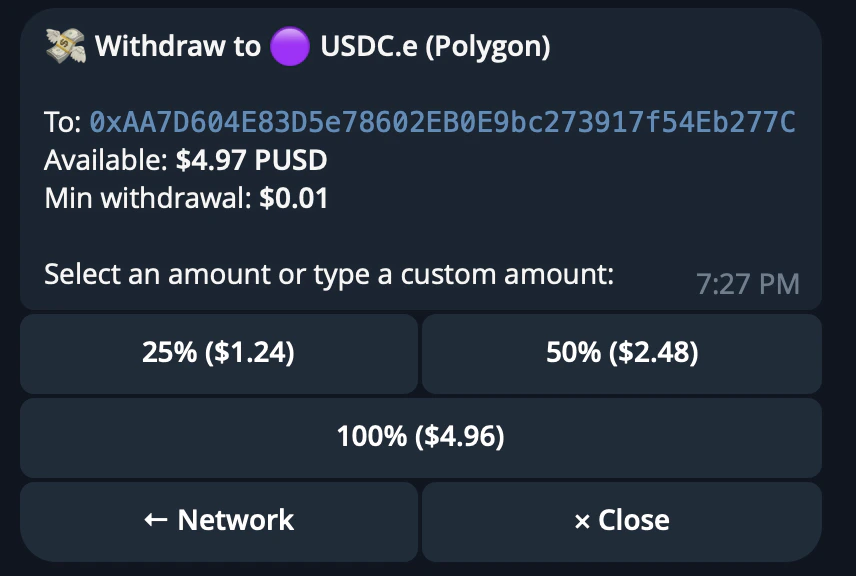
Processing
After confirming the withdrawal, wait for the transaction to process. Processing time can vary depending on the destination chain and bridge conditions.Trader Profile Analysis
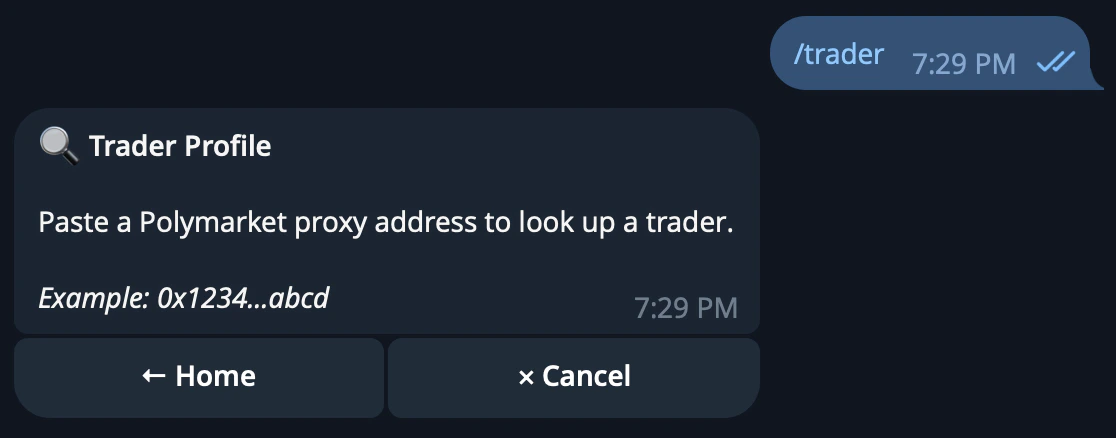
Trader Profile Analysis gives you a complete intelligence breakdown of any Polymarket wallet. Instead of manually checking a trader’s history, positions, categories, and wallet behavior, CRISP pulls the key data into one profile so you can decide whether a trader is worth following, backtesting, or copytrading.How trader analysis works
Paste any wallet address or ENS into CRISP.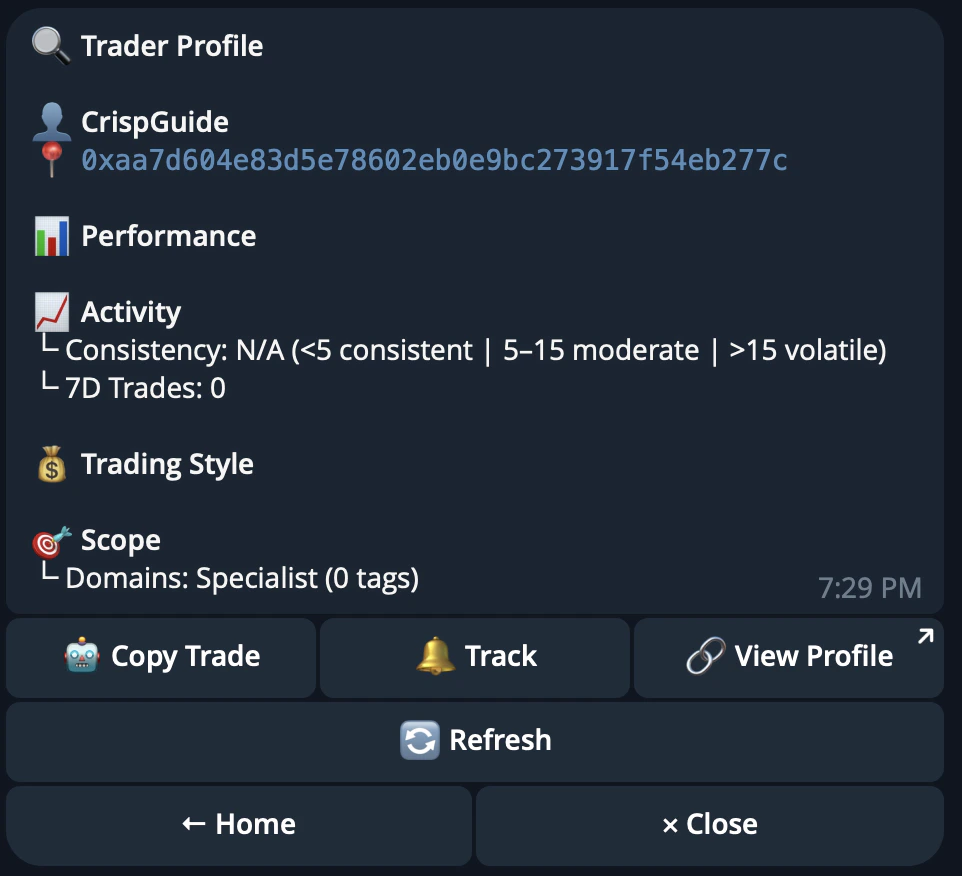
Insider Activity Detection
CRISP also looks for unusual wallet behavior. This includes large positions taken before public catalysts, wallets that repeatedly move before the market reacts, and possible coordinated activity across multiple addresses. The goal is to help users spot wallets that may have a real informational edge.Top Traders Ranking
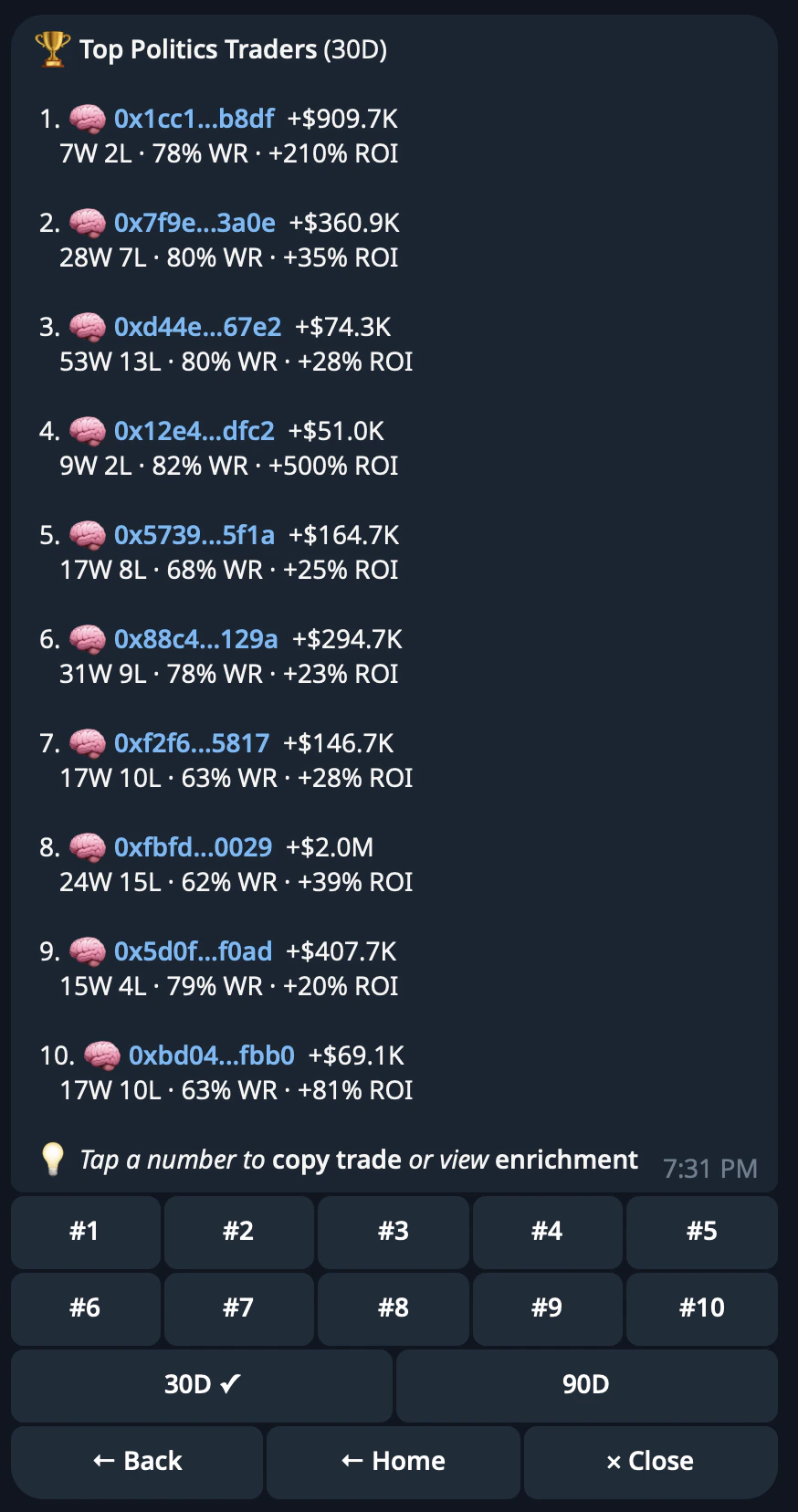
CRISP ranks top-performing wallets by category, time period, and performance metrics. Use the leaderboard to discover traders worth studying, following, or copying.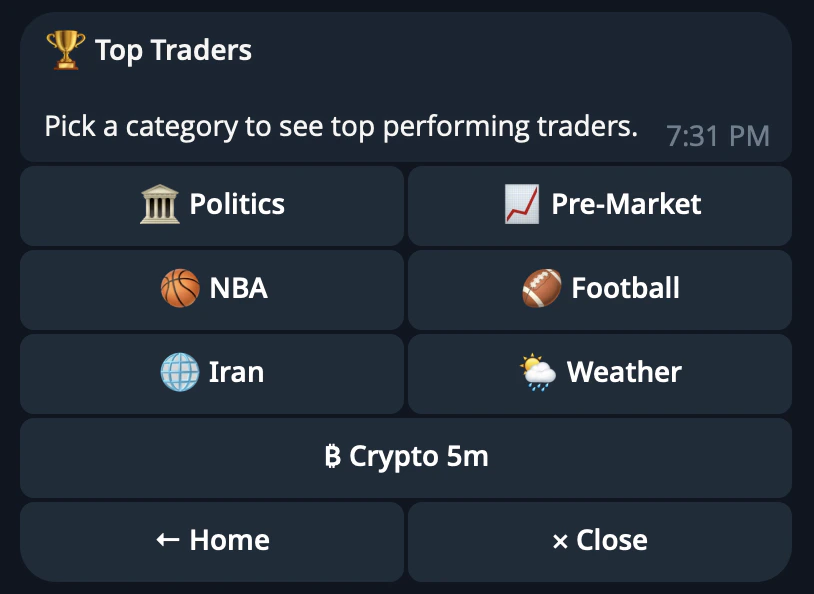
Copy Trading
Copy Trading lets you automatically mirror trades from selected Polymarket wallets. Instead of manually watching a trader and copying each position yourself, CRISP can follow the wallet for you and execute matching trades based on the rules you set.How Copy Trading Works
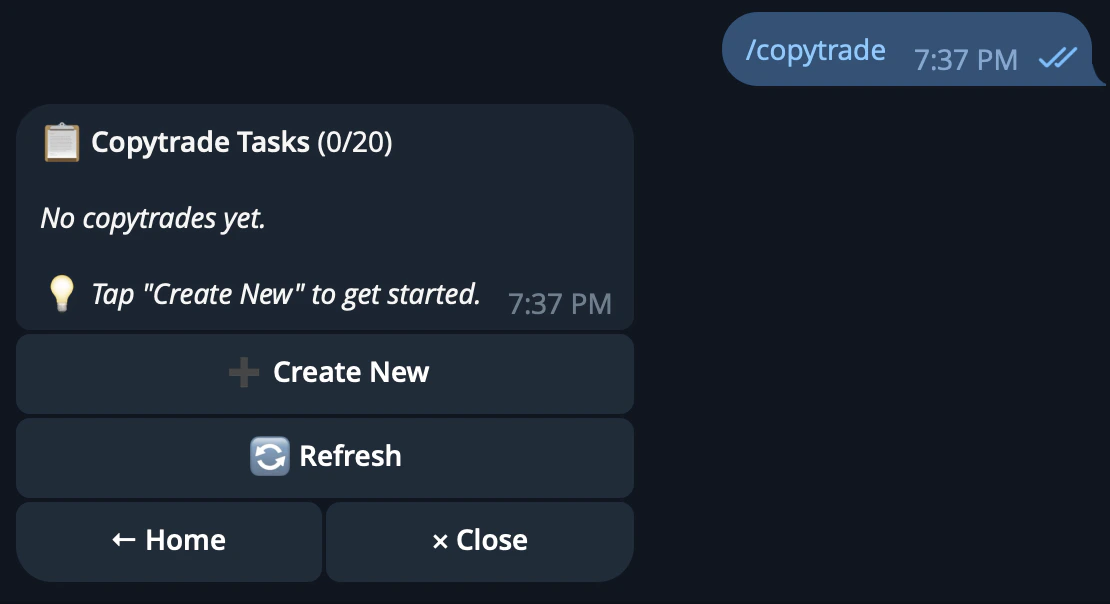
Open the CRISP Telegram bot and tap Copytrade, or send/copytrade.
Enter a wallet to copy
Paste the0x wallet address of the trader you want to follow.
You can use /top_traders to find high-performing wallets, or /trader to analyze a wallet before copying it.
Name Your Task
Give the copytrade task a short label.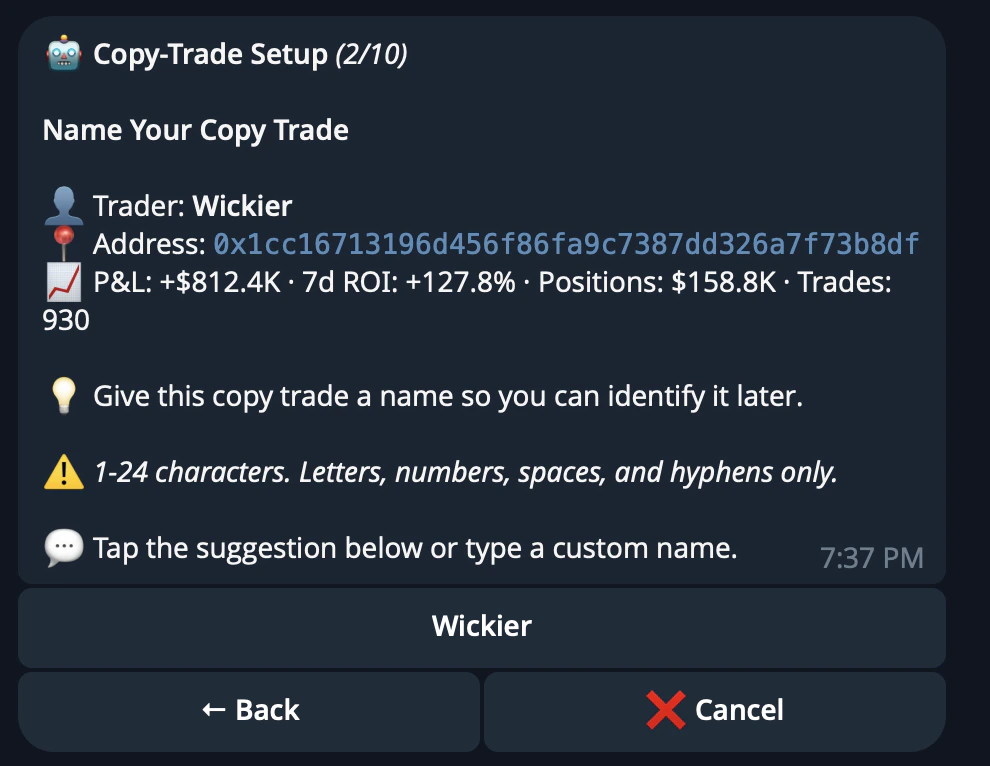
Choose Your Sizing
Select how much CRISP should allocate to each copied trade.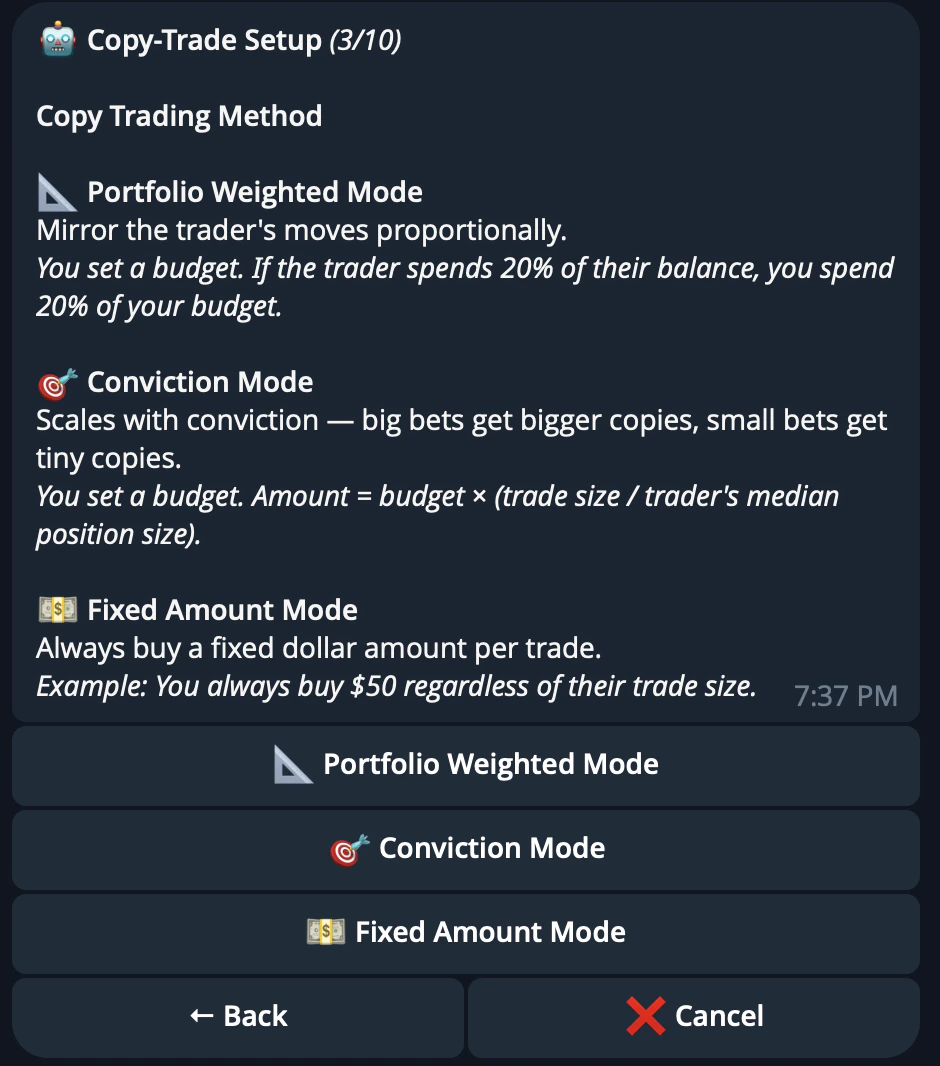
The minimum trade size is USD 2.
Configure Filter
Set the rules CRISP should follow before copying a trade.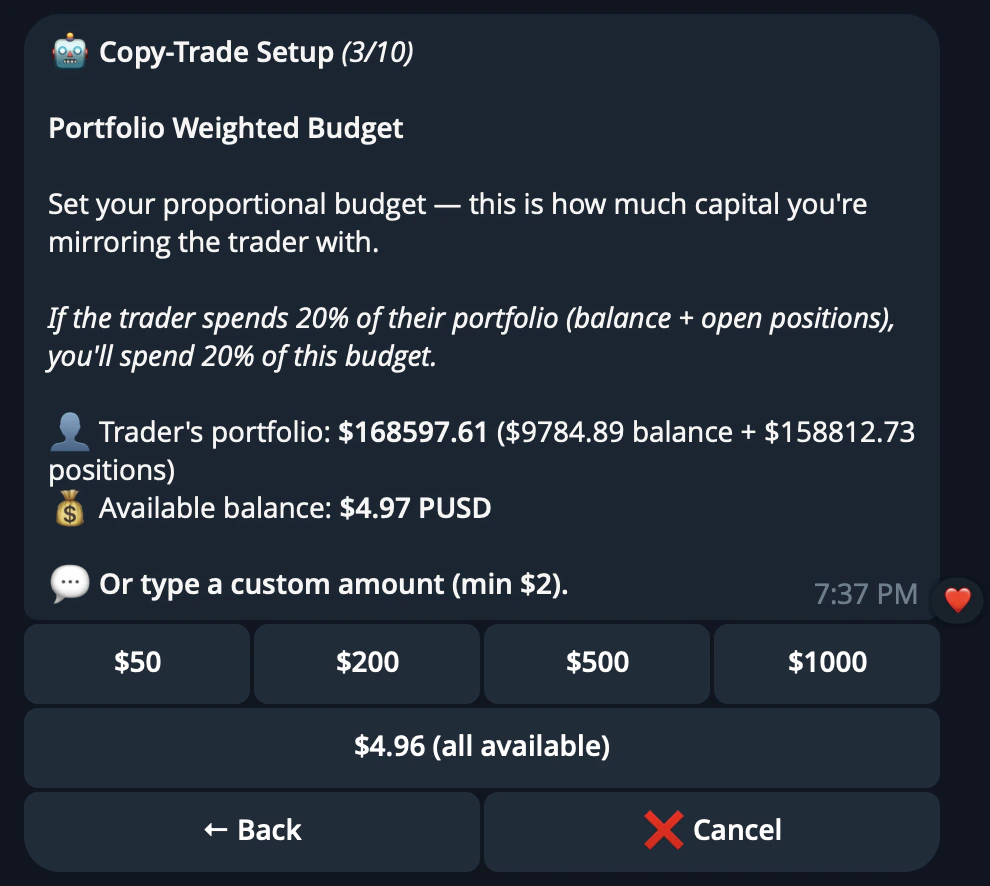
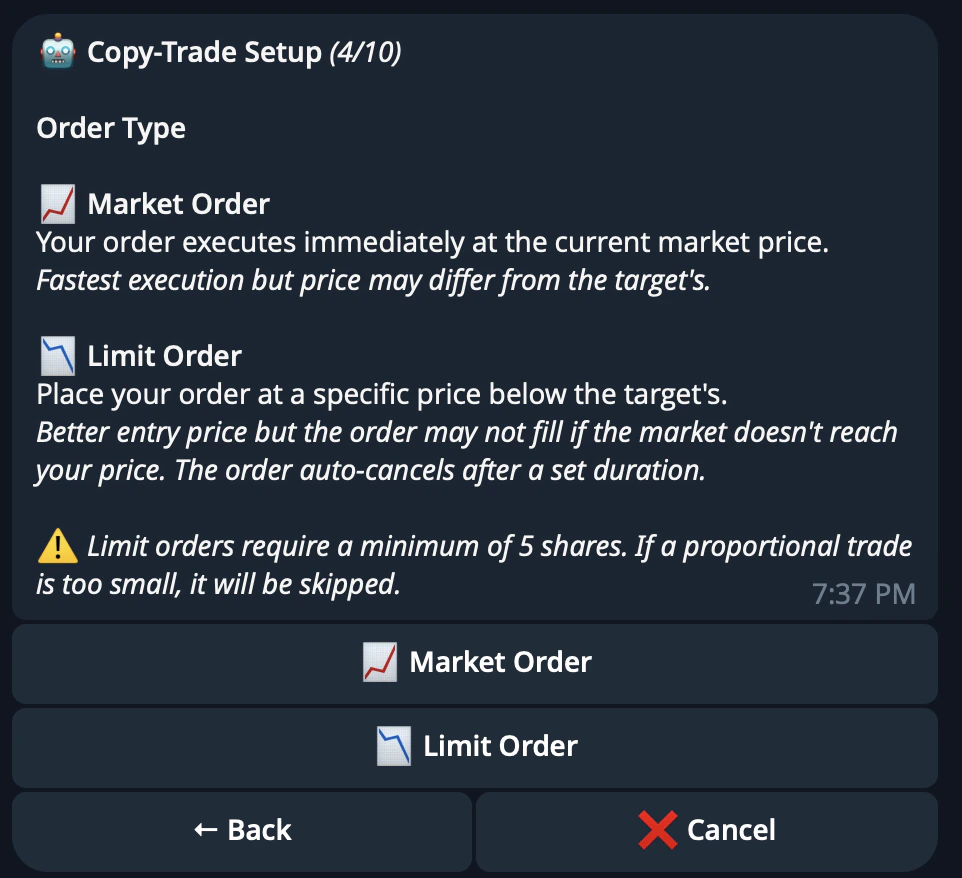
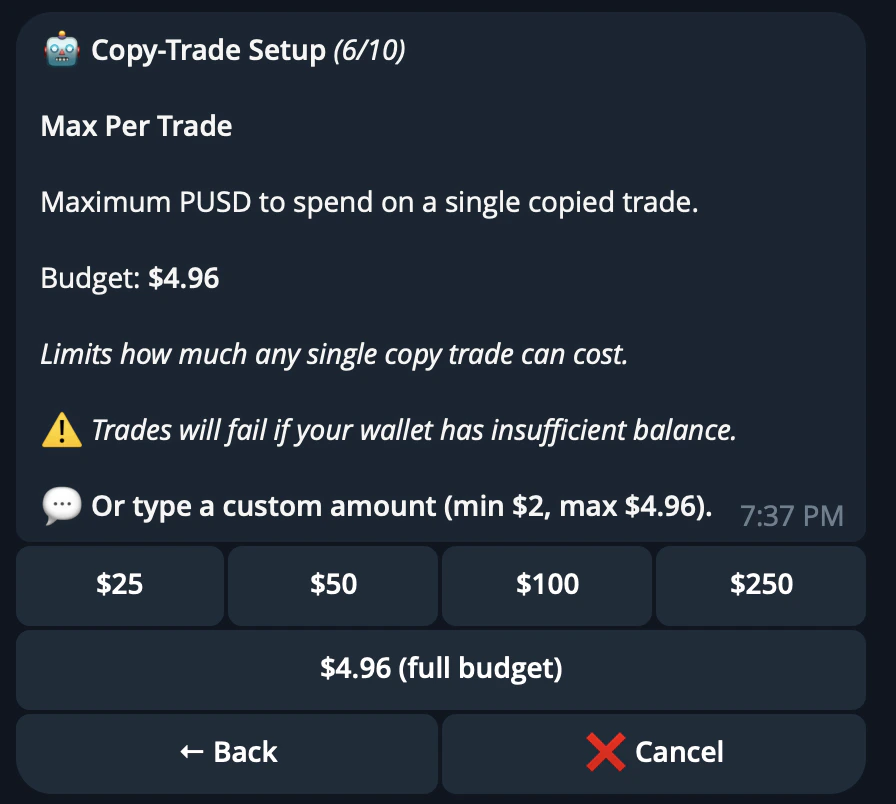
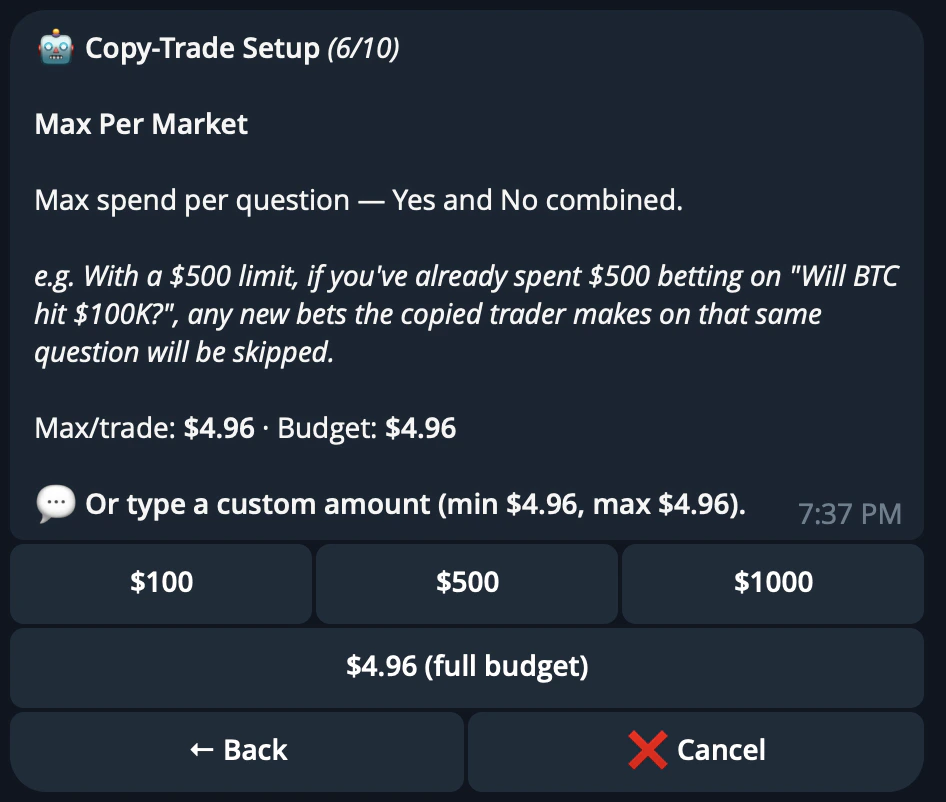
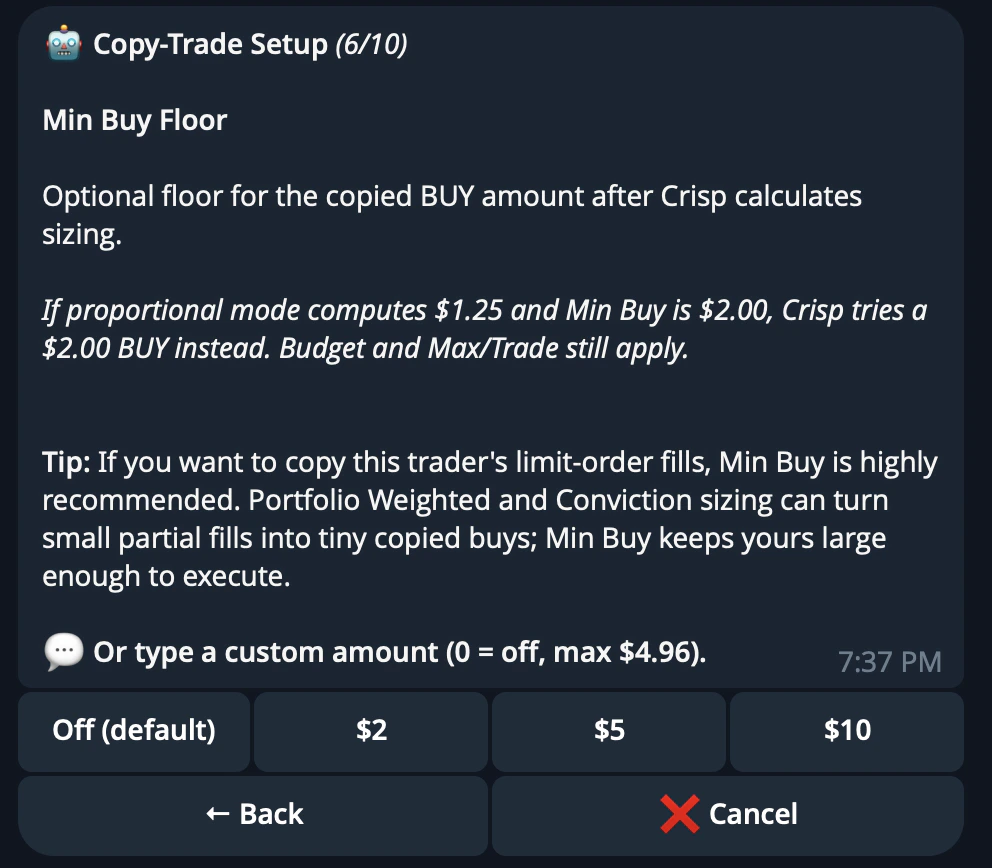
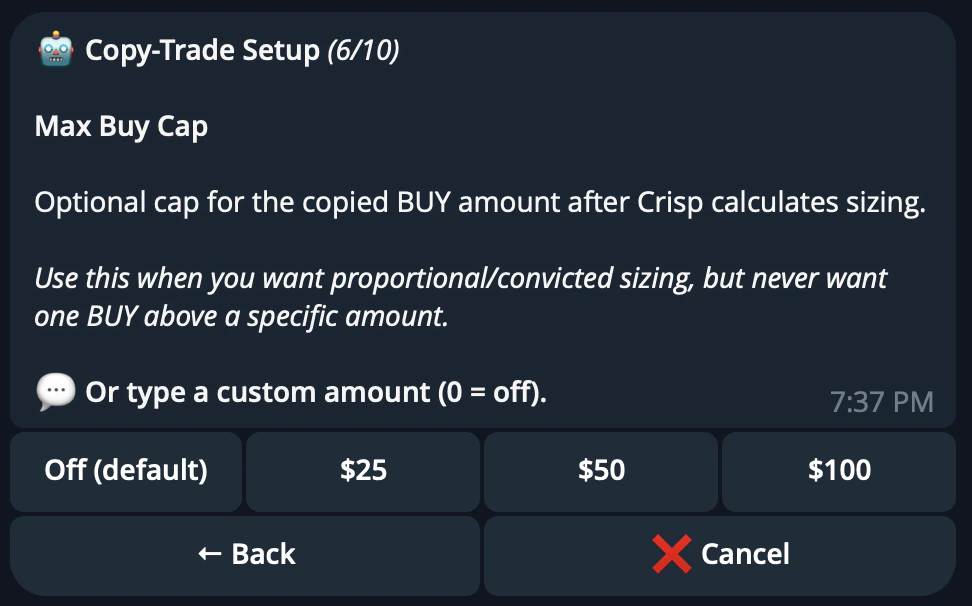
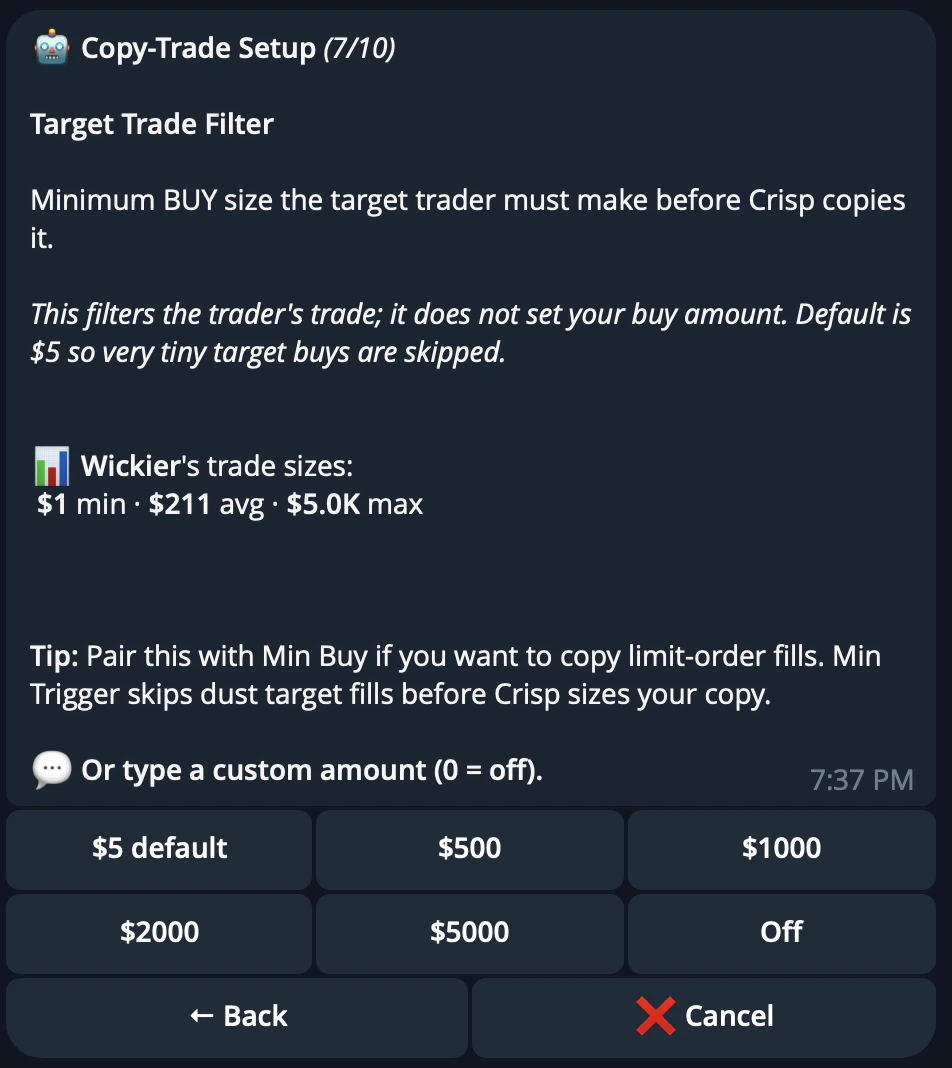
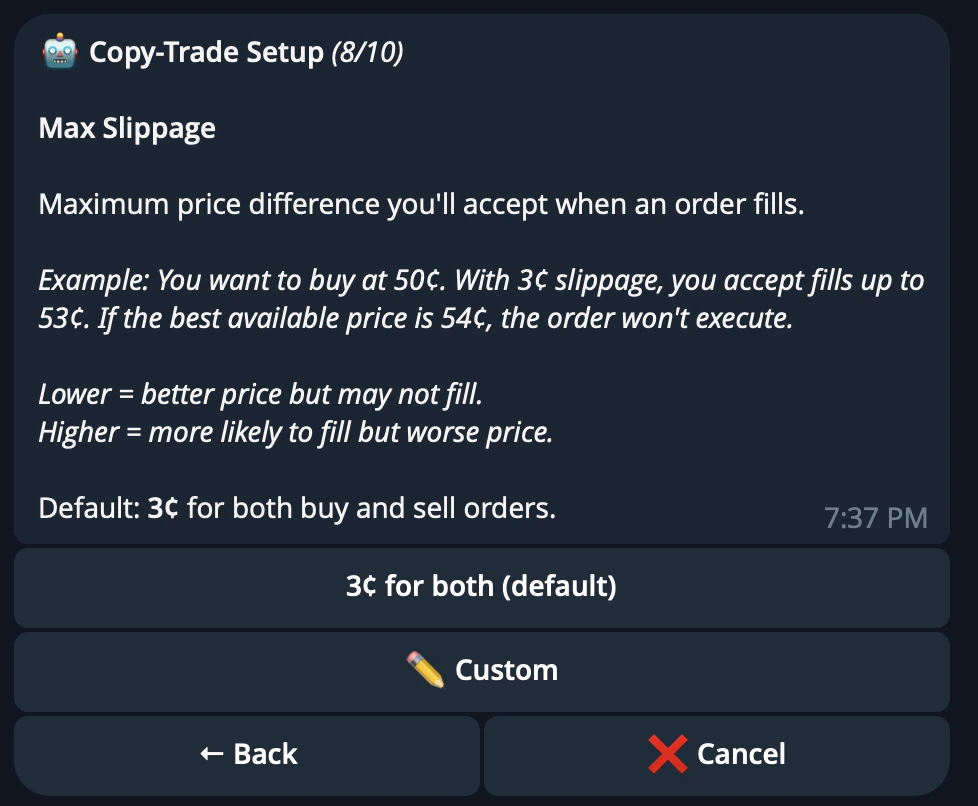
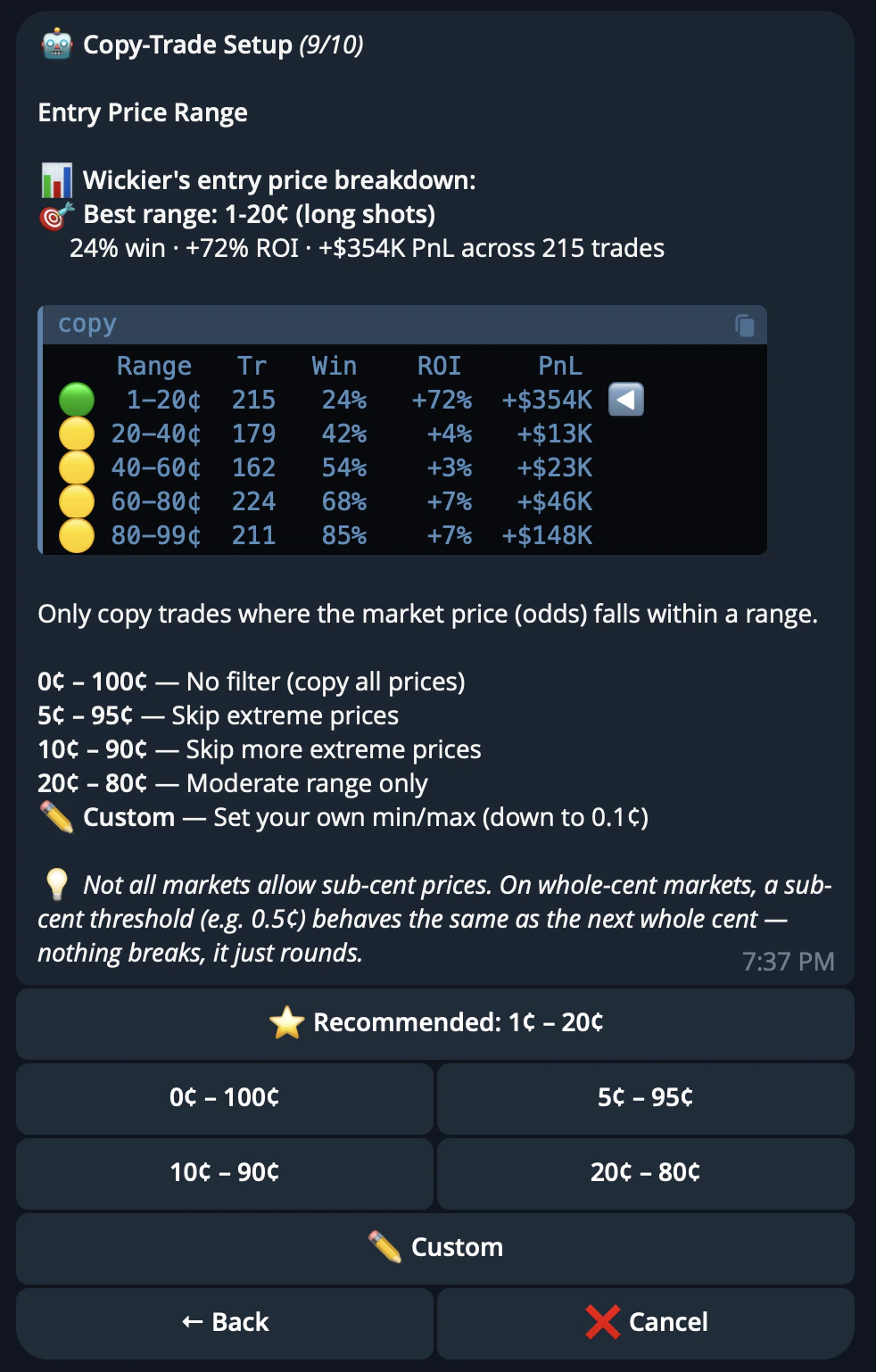
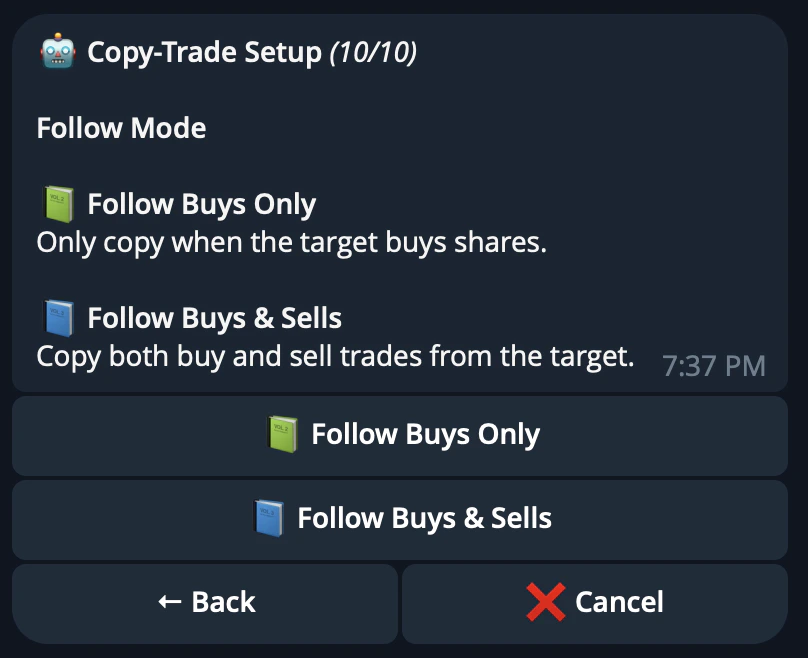
The default settings are designed to be practical for most users, such as a USD 5 minimum trigger and 3c slippage.
Confirm and manage
Review your settings and confirm the task.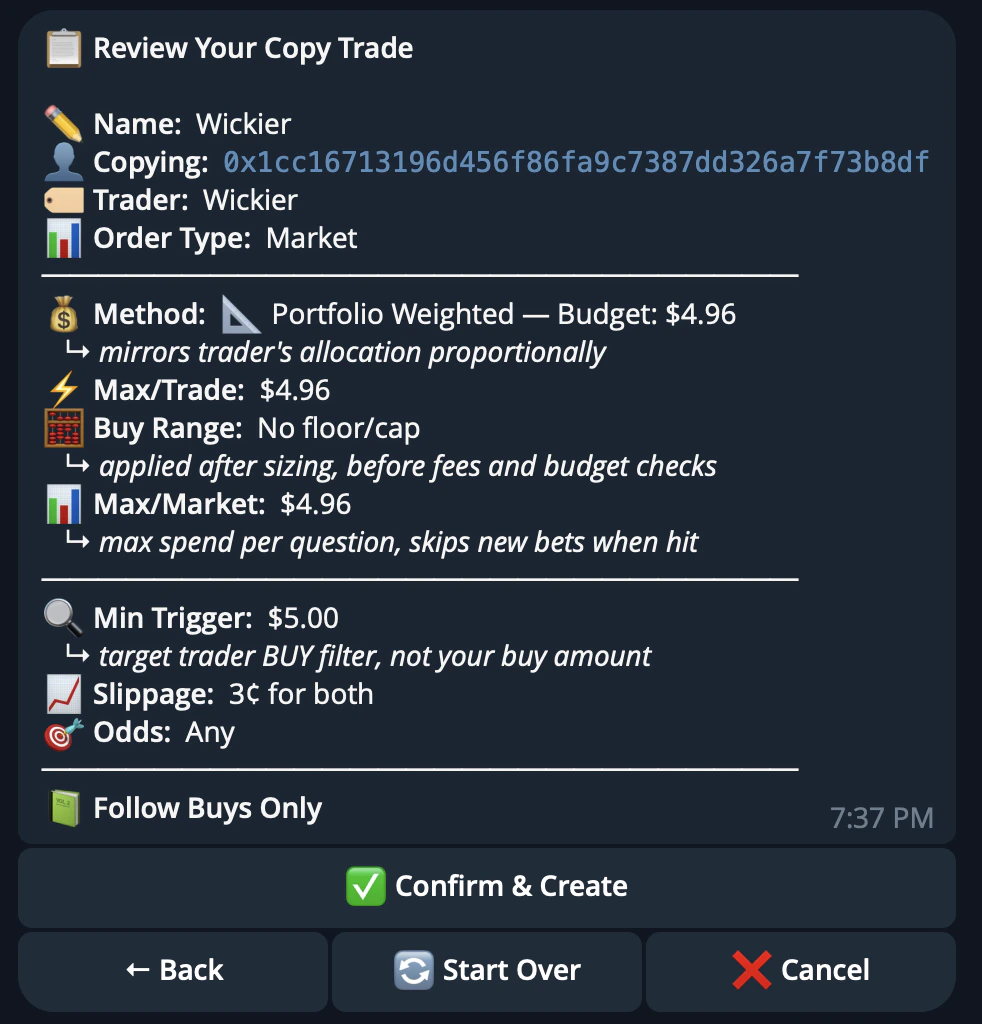
/copytrade menu, including starting, stopping, or editing task settings.
Users can run up to 5 active copytrade tasks at once, with a maximum of 20 total tasks per account including stopped tasks.